Classic
Android TV, macOS & Apple TV available
Your TV.
Your controller.
Your next game.
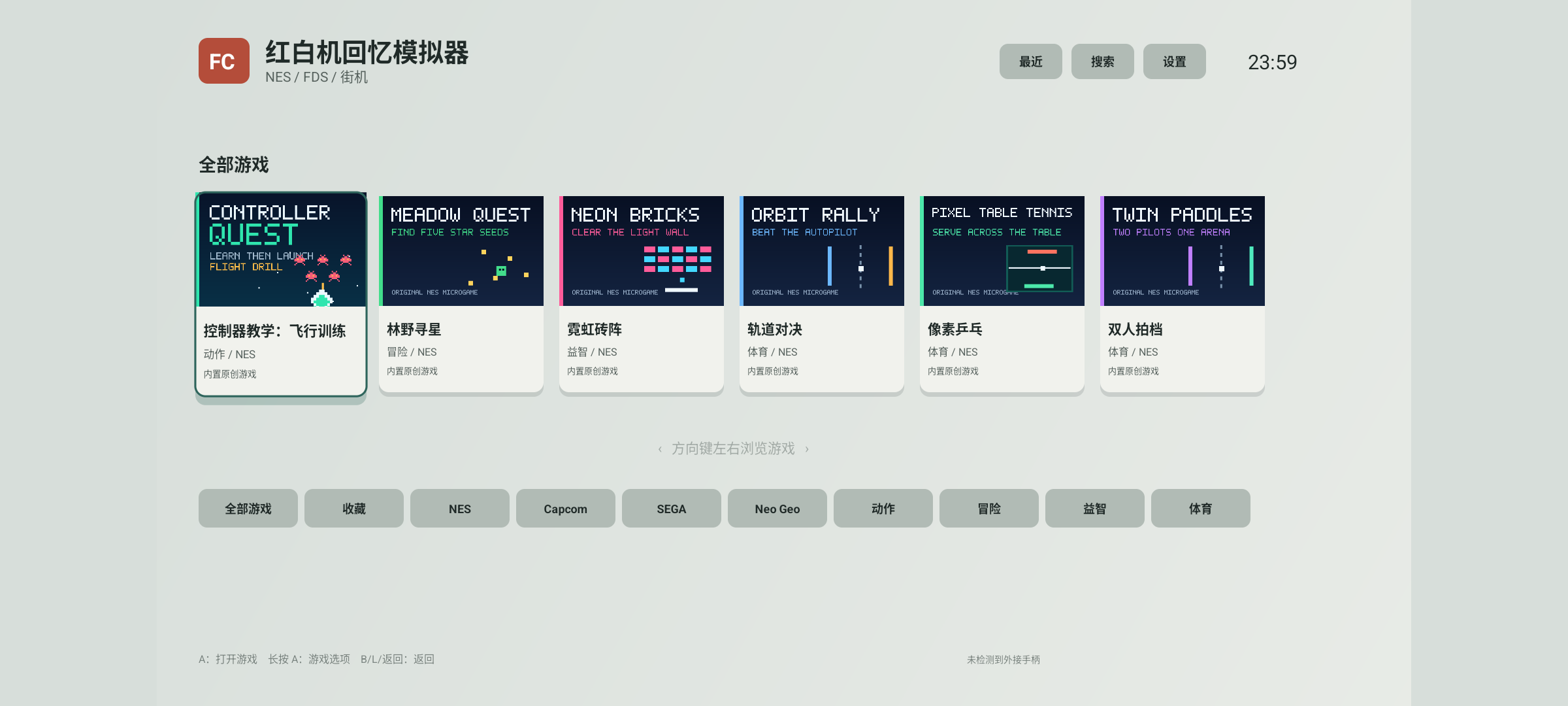
A game library designed to be used from the couch. Connect your own NAS or library server, then browse, favorite, save, and resume games on Android TV and Mac.
60Target frame rate
4PArcade controllers
One library for your living room devices
Android TVmacOSApple TV · Retro ConsoleSelf-hosted server
One library, every game night
Find your next game.
Play your way.
Cover art, search, favorites, recent games, and game menus in one library. The same TV controls work whether you play solo or with friends.
Save states · Autosave · Fast-forward
Co-op
Better together
Racing
Pick up the pace
Versus
Living room rivals
Made for ten feet away
Designed for
the living room.
- Predictable navigationDirectional buttons and sticks use consistent repeat timing, keeping lists and menus easy to navigate.
- Menus handle your inputWhile you use exit, save, or load menus, controller events stay in the menu instead of reaching the game.
- More room for the gameThe game uses the available screen space while preserving its original aspect ratio, without stretching.
Downloads
Start your next game
on the big screen.
Download the Android TV or macOS app below. On Apple TV, search the App Store for “红白机街机模拟器” (Retro Console). Installers contain no commercial games, BIOS files, or private keys. Only import content you have the right to use.
Android TV Android 7.0 or later · arm64-v8a
macOS 14 Sonoma or later · Apple silicon · 1.3.4
Signed Developer ID · Apple notarized
Retro Console for Android TV
APK · Install directlySHA-256: 75126a398ce3aa5b2091d1d0aa57c92d548850984d8ba7ec31d43fec1c5409c9
Retro Console for macOS
DMG · APPLE SILICONSHA-256: 2b56cbc8aa8630c6e4c38ad51a9ba82d0a9b6bd82a495f40bd7dae3590d9e1ff
Three steps
A short setup.
Your files stay yours.
- 01
Download and install
Android TV: send the APK to your TV and install it with a file manager or ADB. When prompted, allow installation from that source. macOS: open the DMG and drag the app to Applications. The download is signed and notarized by Apple.
- 02
Connect your own library
On Mac, import and organize local games in ROM Manager without a server, or connect to your Synology library in Settings. Read the macOS setup guide →
- 03
Connect a controller and play
Use a Bluetooth or USB controller. Hold the confirm button on a game to open its options, add it to favorites, manage its cache, or view game details.
Library server 1.3.4
Keep games on your NAS.
Play them on your TV.
Organize ROMs, cover art, categories, and saves on a library server running on Windows, macOS, Linux, or Synology DSM 7.
Explore the library server →Private by design
No accounts. No ads.
No developer cloud.
The app does not send your ROMs, cover art, saves, library addresses, or play history to the developer. It connects only to the devices you configure.
Read the full privacy policy →